Overview
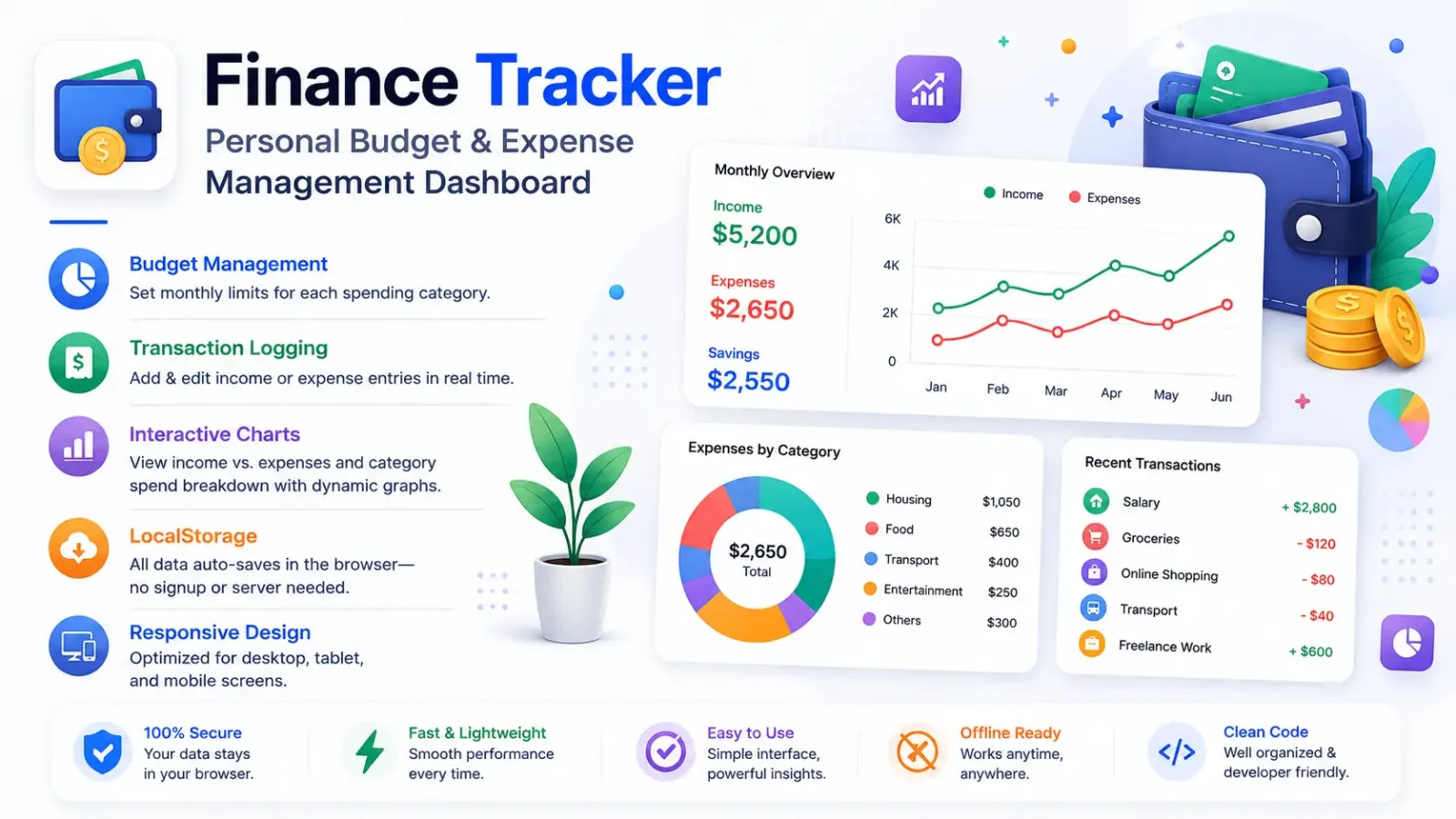
Finance Tracker is a browser‑based personal budgeting dashboard that empowers you to manage income, expenses, and savings all in one place. Built with pure HTML5, CSS3, and vanilla JavaScript—no backend required—this tool offers a clean, responsive interface and instant data persistence via localStorage.
✨ Key Features
- Budget Management: Define monthly limits for each spending category.
- Transaction Logging: Add & edit income or expense entries in real time.
- Interactive Charts: View income vs. expenses and category spend breakdown with dynamic graphs.
- LocalStorage: All data auto‑saves in the browser—no signup or server needed.
- Responsive Design: Optimized for desktop, tablet, and mobile screens.
⚙️ How to Install
- Download or clone the project folder to your computer.
- Ensure
index.html, css/styles.css, js/app.js and js/data.js are together. - Open
index.html in any modern browser to launch Finance Tracker.
How to Use
- In the Budget tab, set your monthly limits per category.
- Go to Transactions: click “Add” to record income or expenses.
- View real‑time updates in charts under the Overview section.
- Add or Edit entries anytime—your dashboard and charts refresh instantly.
️ Support
- For questions or bug reports, open a ticket on the CodeCanyon support page.
- We provide regular updates and welcome feature requests to keep your finances on track.
Overview
Finance Tracker is a client-side budgeting dashboard that helps you set category budgets, log transactions, and visualize your spending habits. Built with HTML5, CSS3, and vanilla JavaScript, it uses localStorage for data persistence—no backend required.
Key Features
- Budget Management: Define and update monthly limits per category.
- Transaction Logging: Add & edit income or expense entries in real time.
- Interactive Charts: Visualize income vs. expenses and category breakdowns with dynamic graphs.
- LocalStorage Persistence: All data auto-saves in your browser—secure and private.
- Responsive Design: Ensures a seamless experience on desktop, tablet, and mobile.
Project Structure
FinanceTracker/
├── index.html
├── css/
│ └── styles.css
└── js/
├── app.js
└── data.js
Installation & Setup
- Download or clone the
FinanceTracker folder. - Ensure the
css and js folders accompany index.html. - Open
index.html in any modern browser to launch the app.
Usage
Setting Budgets
- Navigate to the “Budget” tab.
- Enter your monthly limit for each category and click “Save”.
Logging Transactions
- Go to the “Transactions” tab.
- Click “Add Transaction”, fill in the details, and submit.
Viewing Reports
- Select “Reports” to view your income vs. expense trends and category spending charts.
- Resize the browser to see responsive chart adjustments.
Customization
- Styles: Modify
css/styles.css to change color schemes, fonts, or layout. - Logic: Edit
js/app.js and js/data.js to adjust chart behavior or data models. - Assets: Replace icons or images referenced in
index.html for branding.
Support
- For bug reports or feature requests, please open a ticket on the CodeCanyon support page.
- Regular updates and enhancements will be provided based on user feedback.